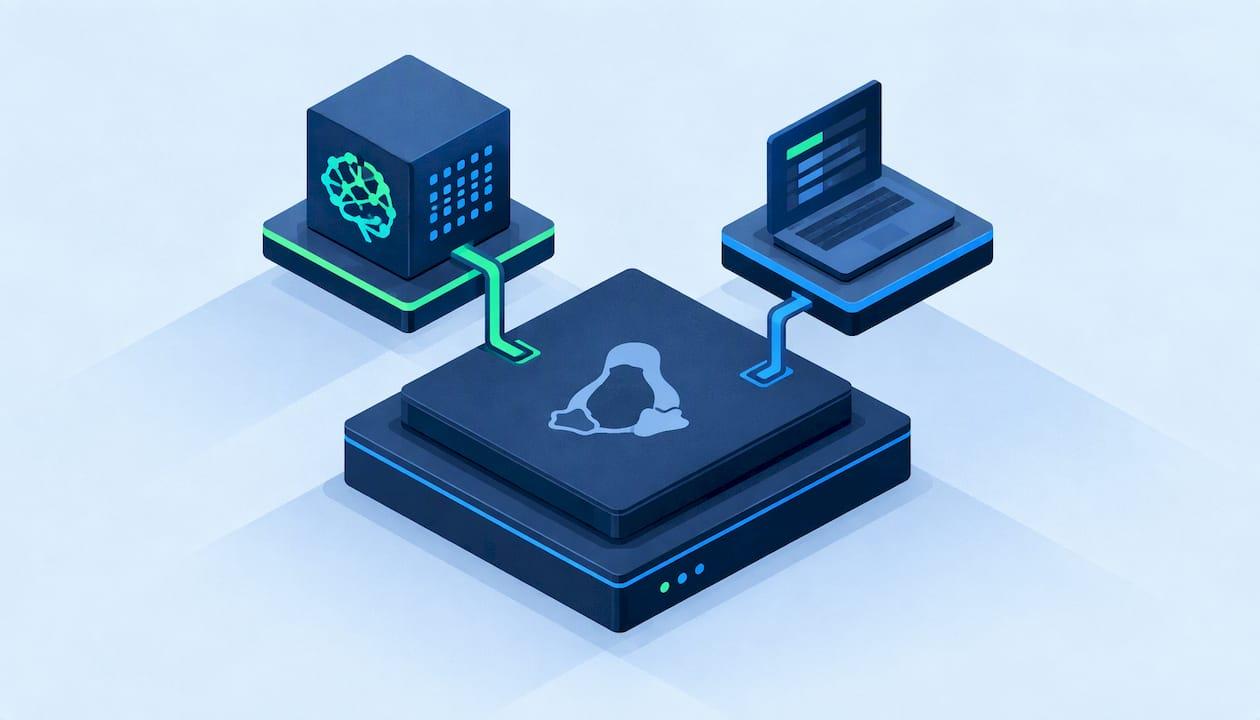
Linux AI means two things. Linux is the operating layer most AI runs on, and AI is now something you can build into your own Linux desktop or server. For developers and sysadmins, the useful version is an assistant that works inside your system with your files, your permissions and the model of your choice, rather than a chat tab that only gives advice. AILinux, an Ubuntu-based distribution, is built around that idea: the operating system, files and execution stay local, and inference can go to interchangeable local or external model providers.
TL;DR
- Linux is the foundation under most AI infrastructure, from GPU clusters to edge devices. The question for you is how much of that you want on your own machine.
- AI on Linux is most useful for explaining errors, reading logs, drafting configs and scripts, and navigating unfamiliar code. It is weakest on architecture decisions and destructive commands.
- Local models win on short, latency-sensitive tasks. Cloud models pull ahead on long outputs. A setup that routes between both avoids choosing one forever.
- Agents that run commands need permissions and approval controls. Read every command before it runs.
- Judge any Linux AI tool on where execution happens, which models it accepts, what it can touch and how you approve actions.
Table of Contents
- What "Linux AI" actually covers
- What AI tools do well on Linux
- From chat window to agent: why the difference matters
- Local, cloud or both
- Safety rules for AI that runs commands
- How to evaluate a Linux AI tool
- Where AILinux fits
- Try it
- A sensible first week
- FAQ
- Sources
What "Linux AI" actually covers
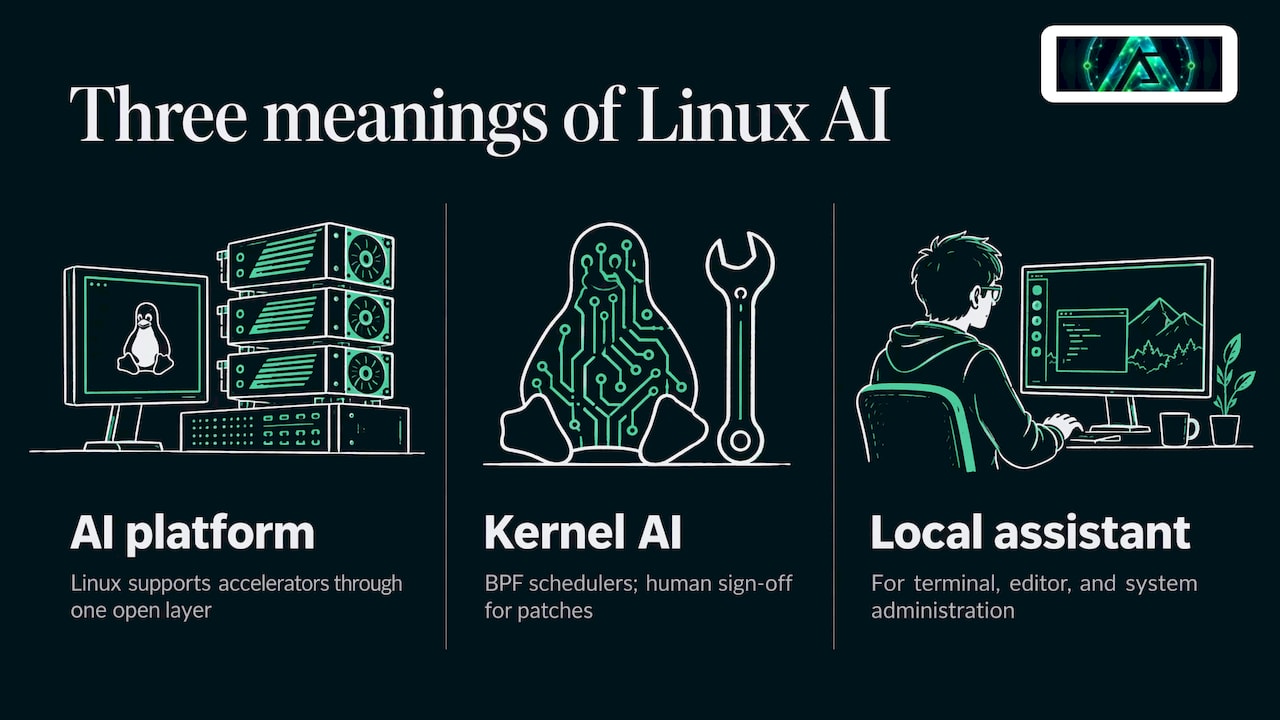
The phrase gets used for three different things, and mixing them up is why search results feel scattered.
Linux as the platform for AI. The Linux Professional Institute describes the AI stack as raw compute (CPUs, GPUs, TPUs, NPUs), then containers and orchestration, then drivers and runtimes, then frameworks such as PyTorch and JAX, and finally models. Linux sits underneath all of it. Its argument is that Linux's role is not to supply intelligence but to make very different accelerators usable through one stable, open layer.
AI inside the kernel and its tooling. The Linux Foundation's October 2026 35 Years of Linux report notes that the kernel's sched-ext framework, introduced in 6.12, allows programmable BPF schedulers for AI workloads. It also mentions frameworks that give AI agents granular kernel memory budgets, and an April 2026 kernel policy requiring attribution and human sign-off for AI-assisted patches. The pattern is consistent: AI is welcome, but a human stays accountable.
AI as a tool you use on your own Linux machine. This is what most readers searching "linux ai" want: an assistant for the terminal, the editor and system administration. The rest of this article is about that.
What AI tools do well on Linux
A September 2026 overview of terminal AI assistants says they can explain errors, generate boilerplate, read logs, navigate unfamiliar code and teach concepts. It also says they are poor at architecture decisions, context-dependent work and destructive commands. That split is a good guide to what to hand over.
A January 2026 tutorial covered by All Things Open adds concrete tasks: interpreting cryptic error messages, generating systemd timers, hardening SSH configurations, and building long bash command chains. Results differ between services, so it advises cross-checking critical configurations before production use.
In practice, it helps to sort tasks into three bands:
| Task | Good fit for AI? | Why |
|---|---|---|
| Explaining a stack trace or journal entry | Yes | Reading is low risk and fast |
| Drafting a systemd unit, cron job or bash script | Yes, with review | You can read the result before it runs |
| Summarizing logs across services | Yes | Large text, clear output |
| Refactoring across a repository | Yes, in git | Diffs make every change reviewable |
| Package removal, disk or firewall changes on a production host | Only with explicit approval | Mistakes are costly and hard to undo |
| Choosing system architecture | Input only | Needs context the model lacks |
The common thread is reviewability. Tasks that end in a diff or a command you read first are safe to automate. Tasks that act silently are not.
From chat window to agent: why the difference matters
A browser chat can tell you what to type. An agent can type it. For a sysadmin that is the difference between reading a recipe and having a cook in the kitchen, and it is why the surrounding controls matter more than the model's name.
An agent that operates on Linux needs a way to reach files, run commands, search, remember project context and talk to devices. The common route is MCP (Model Context Protocol), a standard way of exposing tools to a model. Once tools are exposed, three questions decide whether the setup is something you can trust:
- What is the agent allowed to touch?
- Which actions need your approval first?
- Where does your data go when the model is called?
AILinux's design answers these directly. Its agent operates on Linux through MCP tools covering code, workspace, memory, search, devices and automation, with configurable permissions and approval controls. The aim is that AI work is not confined to a browser chat but happens on the system you administer, under rules you set.
Local, cloud or both
You do not have to pick a side. The trade-off is measurable, though.
A July 2026 SitePoint latency study found local inference won on short outputs: autocomplete at 40 to 120 ms, against 250 to 900 ms for cloud. Cloud generation ran at 80 to 150 tokens per second against 35 to 65 for local, so cloud overtook local once outputs passed roughly 200 to 300 tokens. The test used an RTX 5090 with a 34B-parameter coding model, so your numbers will differ with your hardware.
The practical reading:
- Completions, quick shell help, log snippets: local feels instant and keeps the text on your machine.
- Long generation, large refactors, heavy reasoning: a larger external model may finish sooner and handle harder tasks.
- Mixed days: route by task, so one tool covers both.
That last point is what model routing is for. AILinux includes model routing across local and external providers, so the same agent can use a local model for one job and an external provider for another, without you rebuilding your workflow around either.
What local models need from your hardware
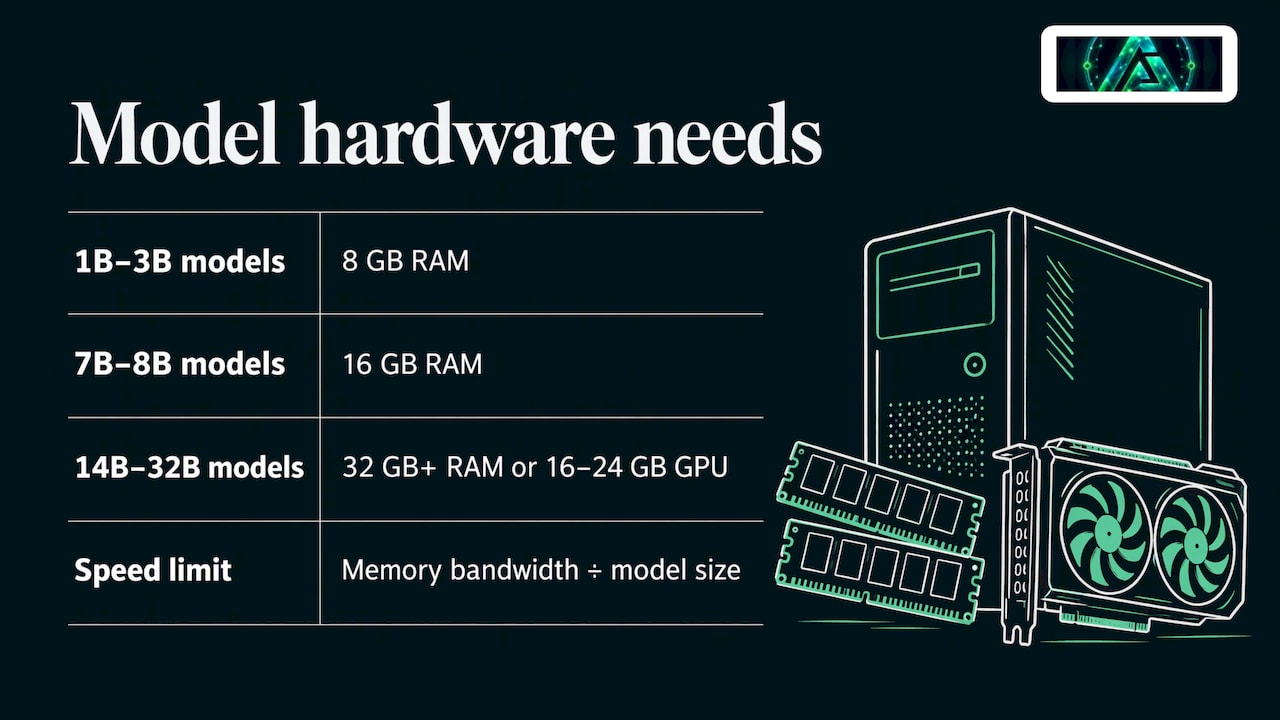
Sizing guidance from LocalAIMaster's Linux setup guide: 8 GB of RAM runs 1B to 3B parameter models, 16 GB runs 7B to 8B, and 14B to 32B models want 32 GB or more of RAM, or a 16 to 24 GB GPU. Speed is bounded by memory bandwidth divided by model size, which is why a GPU with fast memory beats a CPU on larger models. If your machine is modest, a small local model for routine work plus an external provider for hard problems is a sensible split.
Safety rules for AI that runs commands
These come from the same terminal assistant overview written for sysadmins, in order of importance:
- Read every command before approving it.
- Never run AI suggestions as root in production without testing them first.
- Never put passwords, private keys or tokens in prompts. What enters the context leaves your machine when you use an external model.
- Work in a clean git repository so undoing is a
git diffaway. - Distrust auto-approval modes on production servers.
- Prefer local models on isolated servers or those holding regulated data.
The same source notes that a model's confidence bears no relation to its correctness. A fluent, certain answer can still be wrong, so treat output as a draft from a fast junior colleague.
Three habits make these rules easy to keep. Run agents as an unprivileged user so a bad command cannot do system-wide damage. Keep API keys in a proper secrets store or environment file, not in your shell history. And test anything destructive on a throwaway VM first. These are the settings where approval controls earn their place: a prompt before each command is slower than auto-approval, and that is the point.
How to evaluate a Linux AI tool
Before committing to a setup, run it through these checks. They take an afternoon, not a week.
1. Where does execution happen? Find out whether commands and file access run on your machine or on someone else's. For regulated or private work, local execution is the baseline.
2. Which models can it use? A tool locked to one provider ties your workflow to that provider's pricing and availability. Interchangeable local and external providers keep your options open.
3. What can it reach? Look for explicit, configurable permissions: files, shell, network, devices. Narrow by default is better than broad by default.
4. How do approvals work? You want to see a command before it runs, and you want to decide which categories need approval. Check that you can tighten this on servers and loosen it on a scratch machine.
5. Does it keep context? Project memory and workspace awareness save you from re-explaining your repository every session.
6. Is the system still yours? The tool should add a layer without hiding the system underneath. You should be able to inspect what it did, with logs and diffs.
7. Does it fit your hardware? Match the model sizes above to your RAM or GPU before you plan around local inference.
A tool that passes the first six and is flexible about the seventh is one you can live with.
Where AILinux fits
Most people reach "Linux AI" by stitching together a runtime, a gateway, an editor plugin and a terminal helper, then maintaining the glue. AILinux is an Ubuntu-based distribution that ships the layer already integrated, so the AI is part of the operating environment rather than something bolted on.
What that includes, per the project:
- An AI system agent for coding, DevOps, system administration and task verification.
- Model routing across local and external providers.
- MCP tools for code, workspace, memory, search, devices and automation, with configurable permissions and approval controls.
- A desktop AI client, a browser AI environment and a screen OCR utility.
The pieces are modular. ai-coder is the coding agent, and TriForce is the MCP server that exposes tools to it. If you want the background on how those parts fit, the write-up on the AILinux, TriForce and ai-coder platform walks through it, and the development update on AI-Coder and MCP sharing shows where the project is heading.
Try it
AILinux 26.05 is available as a free ISO download, and the distribution itself is free. If you work in Linux all day and want the agent, model routing and MCP tools on your own system, start with the AILinux 26.05 download. The full set of tools, including AILinux Desktop, AI Coder and the TriForce MCP Server, is on the products page.
If screen text is part of your workflow, Copa, the OCR utility, is sold in the shop.
A sensible first week
Day one, install and look around. Check which models are configured and which tools the agent can reach, and set permissions to the tightest level that still lets you work.
Days two and three, use it on read-only tasks: explain logs, summarize a service's journal, ask why a unit fails to start. Nothing changes on disk, so you learn how the agent reasons without risk.
Days four and five, move to drafting: a script, a timer, a config change in a git repository. Review each diff. Note which tasks you would trust without approval and which you would not.
By the end of the week you will know which jobs belong to a local model, which need an external one, and which approvals you want kept permanently. That is the real output of the trial: a routing and permissions policy that matches how you work.
FAQ
What is the best AI for troubleshooting Linux?
The best one is the one that can read your actual logs and configs, not just answer generic questions. An agent with workspace and tool access can look at the journal and propose a fix you review. Whatever you use, read each suggested command before running it and avoid root on production.
Can I run AI on Linux without sending data to the cloud?
Yes. Local models run on your own hardware, and the sizing rule of thumb is 8 GB of RAM for small models and 32 GB or more, or a 16 to 24 GB GPU, for larger ones. A setup with model routing lets you keep sensitive work local and use an external provider only where you choose.
Is AI safe to give shell access?
It is safe when you control the permissions. Use an unprivileged user, keep secrets out of prompts, work in git and keep approvals on for anything destructive. Avoid auto-approval on production servers.
Do I need a GPU?
Not to start. Small models run on a CPU with enough RAM, and an external provider can handle heavier work. A GPU with fast memory matters once you want larger local models at usable speed.
Sources
- AI: Platform, Not Product, Linux Professional Institute
- 35 Years of Linux report, The Linux Foundation
- AI assistants on the Linux terminal, LinuxPro
- 10 ways to use AI for Linux troubleshooting and productivity, All Things Open
- Local vs Cloud AI Coding: Latency, Privacy and Performance, SitePoint
- Linux Local AI Setup guide, LocalAIMaster
Recommended
- The Self-Describing AI Kernel: How Hardware Could Tell the Operating System How to Use It
- AILinux Loom 0.3.0 Alpha 6: Unified AI Workstation as Early Alpha
- AILinux Development Update: AI-Coder, MCP Sharing and the Road to a Distributed AI Desktop
- AILinux, TriForce & ai-coder – the AI platform for Linux, APIs, and autonomous workflows